BSL
BSL UG755 Dual Lavalier UHF Wireless Microphone System Set with 2 Headset Mic for Head Wear (UG-755)
SKU:BSL-UG755 Headset
BSL UG755 Dual Lavalier UHF Wireless Microphone System Set with 2 Headset Mic for Head Wear (UG-755)
Headset wireless system combines professional-quality sound with simple setup and an intuitive interface for excellent audio performance right out of the box.
This Lavelier mic can easily clip on the pant and wear on the head. This make presentation, Singing and so on much more easier. This also allow the user have more focus on the speech and grap thing eaier.
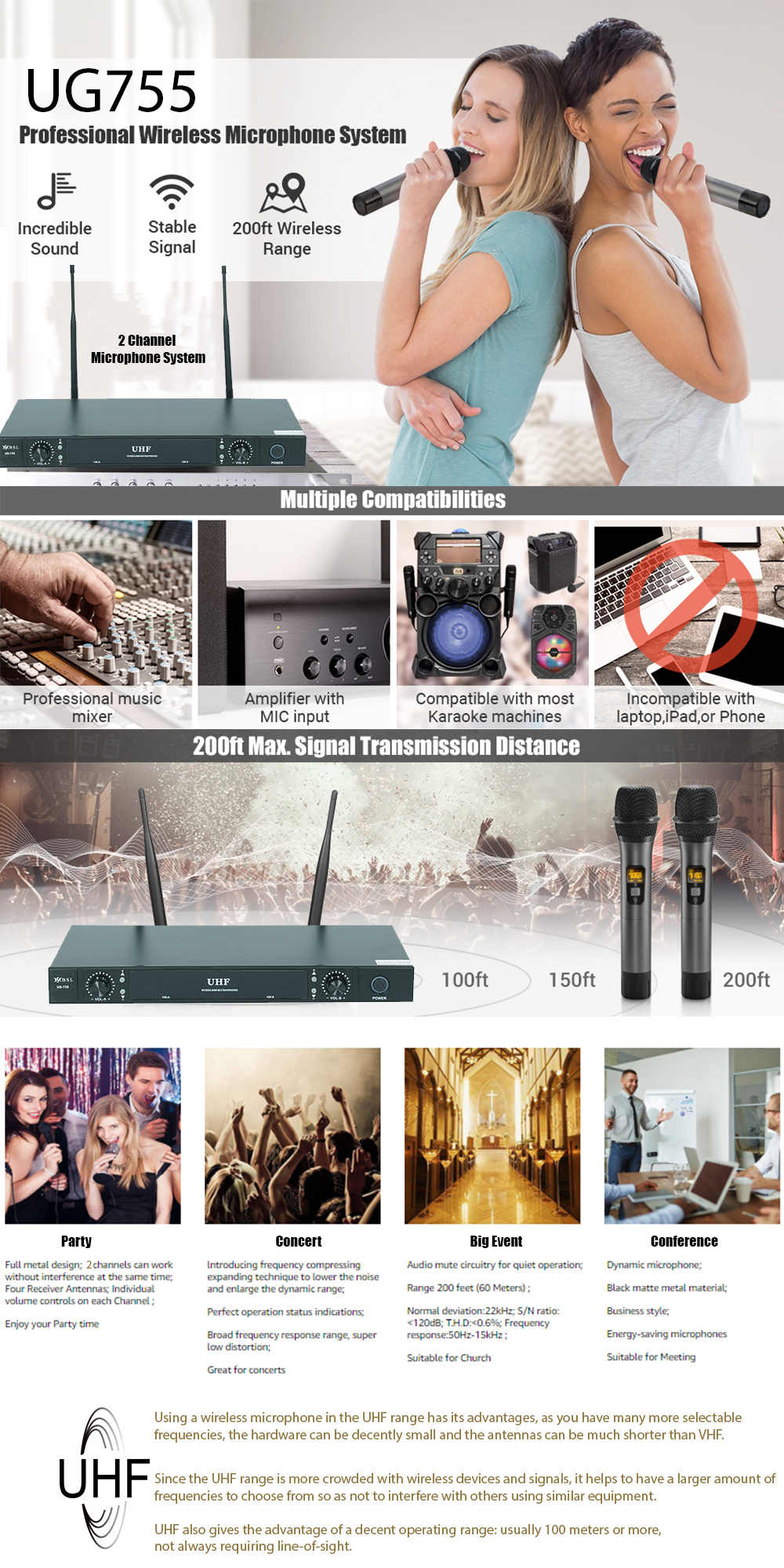
The unit features UHF signal audio transmission for an unsurpassed performance with an operation range of up to 160 ft for clear, noise and distortion free, crisp vocals and excellent sound reproduction
Each mic has its own volume control so you can balance the vocals as desired for a karaoke experience that both kids and adults will enjoy. Perfect for professional engagements, conference, dj party
Sturdy and Durable Material: The all metal mic with steel mesh grille is particularly resistant to impact and corrosion. The receiver box has separate volume control for each wireless mic.
Enhanced Signal Stability: With 15 adjustable frequencies per UHF mic and long transmission range(60 m) in open space, ensuring that up to 15 sets can be used simultaneously without worrying about interferences.
The cardioid polar pattern is effective against off-axis noise causing feedback and unwanted ambient noise.
The dual antenna design represents diversity technology which provides optimum resistance against RF interference and drop-out.
The working distance of UG755 is about 100m in the wide-open area.It gives you stable signal transferring and great freedom of movement.
A multifunction LCD display provides room for flawless operation by displaying the group, channel number, RF and AF levels clearly.
Ideal for the family home KTV, church, parties, Karaoke singing, conferences and etc.
Tips for using and connect
1. Behind the receiver there are AB AF Out are the frequency output. When using , the frequency antena need to be connect to the receiver
2. Behind the receiver the A AF Out are only for microphone A and only 1 Mic to connect
3. Behind the receiver the B AF Out are only for microphone B and only 1 Mic to connect
4. Once connect the Mirophone to the receiver , turn on the power by using the adapter provided.
How to ID Lock
1. Turn of the Receiver , Switch of the Wireless microphone, and hold the frequency selecter together with the swith withoud let go .
2. Wait for roughly 2 second the the display of the microphone will start blinking
3. Then turn on the receiver, the display of the receiver will be showing <> lighting and will blink 4 time. Then you could then choose for the frequency and make sure they are correct.
3. Once the <> light are on without blinking then the microphone are connected.