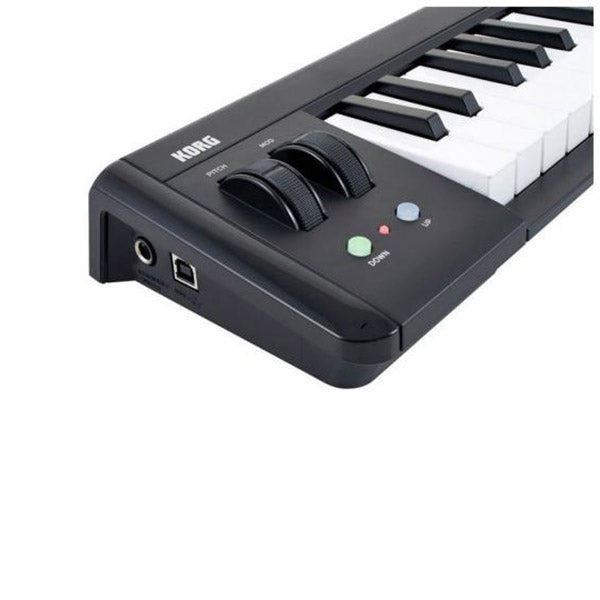
KORG microKEY2 49 USB Powered Keyboard MIDI Keyboard (Micro Key 49 / Microkey49)
KORG microKEY2 49 USB Powered Keyboard MIDI Keyboard (Micro Key 49 / Microkey49)
KORG microKEY2 49 USB Powered Keyboard MIDI Keyboard (Micro Key 49 / Microkey49)
Control that’s conveniently simplified
Compact and playable Natural Touch Mini Keyboard
KORG’s Natural Touch mini keyboard. Has been carefully designed to assure playability while staying compact, and makes it easy to play chords or rapid phrases. Choose between a 25, 37, 49 or 61-key configuration to suit your specific playing style and space/travel requirements.
Connect a pedal, and enjoy full control functionality
The 37, 49, and 61-key models provide an assignable switch jack for connecting a damper pedal. The 25-key model provides a sustain button that implements the damper function. On all models, you can use the octave buttons in conjunction with the key transpose function to play MIDI's entire range of notes. The 37, 49, and 61-key models provide pitch bend and modulation wheels. The 25-key model provides a joystick that can also control pitch bend and modulation, as well as an arpeggiator function, giving you full control in spite of this model's space-saving dimensions, and providing a wealth of performance expression.
Lavish array of powerful music software bundled free of chargeThe microKEY comes with a serious collection of powerful music software titles including popular special editions of KORG Gadget and KORG Module plus the KORG Legacy Collection offering five classic KORG instruments as plug-ins. With microKEY Air you won’t have to purchase additional software; you can start creating music right away. The sounds and functions are expanded if you use "Apps for iPad/iPhone" with new microKEY. Apps for iPad/iPhoneKORG Module Le for iPad/iPhone (piano/keyboard sound module app) Software for Mac / Windows• KORG Legacy Collection - M1 Le (synthesizer sound module) Dedicated editor software “KORG KONTROL Editor” is providedBy using the dedicated KORG KONTROL Editor for Mac/Windows you can customize the keyboard to your preferences, including fine adjustments to the velocity curve. |
Product features
Product features
Materials and care
Materials and care
Merchandising tips
Merchandising tips
Share